How to Link a MEXC Card to TenPayGo
MEXC Card holders may be able to link their virtual Visa card to TenPayGo and use their card balance at supported merchants in China. The process is similar to adding any other international card: enter the card details, complete verification and make a small test payment.
However, successful binding is not guaranteed. TenPayGo and the card issuer may review the card’s issuing region, billing information, Visa card range and transaction risk. Users should also distinguish between the MEXC Global Card and MEXC Card (APAC), as their mobile-wallet support differs.
What Is TenPayGo?
TenPayGo is a Tencent payment application designed primarily for international visitors to China. It allows eligible users to connect an international payment card and pay by scanning a merchant’s QR code or presenting a payment code.
The app supports international payment networks including Visa. It also offers Apple Pay as a payment option on supported devices, allowing eligible users to pay with a card already stored in Apple Wallet.
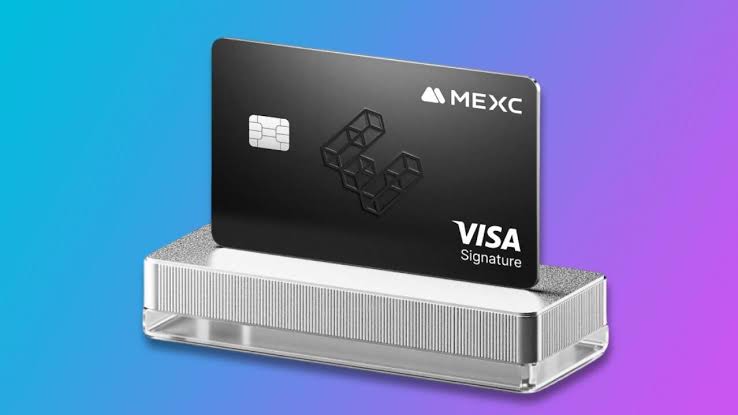
This makes TenPayGo potentially compatible with the MEXC Global Card, which is a virtual Visa card that can be funded with USDT and used for supported purchases.
Prepare Your MEXC Card Before Binding
Before opening TenPayGo, make sure your MEXC Card has been approved and activated.
In the MEXC App, open More and select MEXC Card under the Finance section. Check that the card status shows Active and that it has sufficient spendable balance.
You will need the following information from the card details page:
- Card number
- Expiry date
- CVV security code
- Cardholder name
- Billing address used during the card application
The cardholder name should be entered exactly as it appears in MEXC. Differences in spacing, name order or English spelling may cause verification to fail.
If the card has not yet been funded, transfer USDT to the relevant Fiat Account and complete the card deposit process. MEXC Global Card users normally move funds from the Fiat Account to the card, while the APAC version may spend directly from the Fiat Account.
How to Add a MEXC Card Directly to TenPayGo
Open the official TenPayGo app and complete the account registration process. The names of individual menus may vary by operating system and app version, but the usual process is:
- Open Payment Method or Add Card.
- Choose the option to add an international bank card.
- Enter the MEXC Card number.
- Enter the expiry date and CVV.
- Enter the cardholder name exactly as registered with MEXC.
- Provide the billing address if requested.
- Review the information and submit the card.
- Complete any required security verification.
The first card registration or payment may trigger 3-D Secure verification. For MEXC Card transactions, the one-time code is generally sent to the email address registered with MEXC. Check the inbox and spam folder promptly because the code may expire within a few minutes.
After the card has been added, make a small purchase first. This confirms that the card can complete an actual merchant payment, rather than only passing the initial binding check.
Apple Pay Provides Another Route for Global Card Users
If direct card binding does not work, iPhone users with a MEXC Global Card can try connecting through Apple Pay.
First add the MEXC Card to Apple Wallet:
- Open Apple Wallet and tap the plus icon.
- Select Debit or Credit Card.
- Choose to add a different card.
- Enter the MEXC Card number, expiry date and CVV manually.
- Make sure the name matches the MEXC cardholder name.
- Complete the requested verification.
Once the card appears in Apple Wallet, open TenPayGo and choose Apple Pay as the payment method if the option is available. Select the MEXC Card when confirming a payment.
The MEXC Global Card officially supports both Apple Pay and Google Pay. The MEXC Card (APAC) currently supports Google Pay only, so APAC Card users may need to rely on direct Visa card binding unless TenPayGo adds a compatible Google Pay option.
Why a MEXC Card May Fail to Bind
A MEXC Card can be rejected even when all visible information appears correct. Common causes include:
- The card has not been activated.
- The card balance is insufficient for a verification authorization.
- The cardholder name does not match.
- The billing address differs from the MEXC application record.
- The 3DS email code was entered too late.
- TenPayGo does not currently accept the card’s issuing region or Visa card range.
- The account or transaction triggered additional risk controls.
- TenPayGo is not fully available for the user’s country, device or account.
If binding fails, check the card status, balance and registered information before trying again. Avoid making repeated attempts within a short period. MEXC warns that repeated failed transactions can activate card risk controls.
If the information is correct but the card remains unavailable, contact MEXC support to determine whether the attempted transaction reached the card issuer. If no transaction or authorization appears in MEXC, the rejection may have occurred on the TenPayGo side.
MEXC View: Apple Pay May Reduce Setup Friction
MEXC’s view is that direct card binding should be the first option because it is simple and works across supported devices. For eligible iPhone users, however, the Apple Pay route may reduce some of the friction caused by manually entering card details.
Apple Pay uses a tokenized card credential rather than exposing the original card number during each payment. It may also prevent errors involving the card number, expiry date or CVV. This does not bypass TenPayGo’s eligibility checks, but it can make the payment process smoother when both services support the account.
The most important factor is not whether the card can be saved in the app, but whether it can complete a real merchant transaction. A successful small payment is therefore the best final check.
Fees and Currency Conversion
The MEXC Global Card is funded with USDT but settles purchases through the Visa network. When a purchase is made in Chinese yuan, Visa converts the transaction into the card’s billing currency before the equivalent amount is deducted.
TenPayGo may also apply a service fee to international-card payments. The applicable amount should appear on the confirmation screen before payment.
Users should review:
- The merchant’s original RMB amount
- The TenPayGo service fee, if any
- The Visa exchange rate
- Any MEXC Card spending fee
- The final USDT amount deducted after settlement
The amount shown during authorization may differ slightly from the final settled amount because exchange rates can change before the transaction is completed.
FAQ
Can the MEXC Card be linked to TenPayGo?
It may be possible because the MEXC Global Card uses the Visa network and TenPayGo supports eligible international Visa cards. Approval still depends on region, card range and risk-control checks.
Where can I find my MEXC Card details?
Open the MEXC App, go to More, select MEXC Card and open the active card. The card number, expiry date and CVV are displayed on the card details page.
Where is the MEXC Card verification code sent?
A 3DS verification code is normally sent to the email address registered with MEXC. Check the inbox and spam folder immediately because the code has a limited validity period.
Can I use Apple Pay instead of binding the card directly?
Eligible MEXC Global Card users can add the card to Apple Wallet and select Apple Pay in TenPayGo when that option is available. This route is currently more limited for APAC Card users because the APAC version supports Google Pay rather than Apple Pay.
Why was my MEXC Card added but declined during payment?
Passing the card-binding step does not guarantee that every transaction will be accepted. Insufficient balance, unsupported merchant categories, regional restrictions, risk controls or a failed 3DS check can still cause a payment to be declined.
Should I repeatedly retry a failed payment?
No. First check the card balance, status, billing information and verification email. Repeated failures may trigger additional controls, so contact support if the same issue continues.
You May Also Like

Stablecoin Settlement: Why SoFi Moved $25B Onchain

Stablecoin Adoption: Why Bank-Level Protection Matters